https://samicsub.com/user/wallet
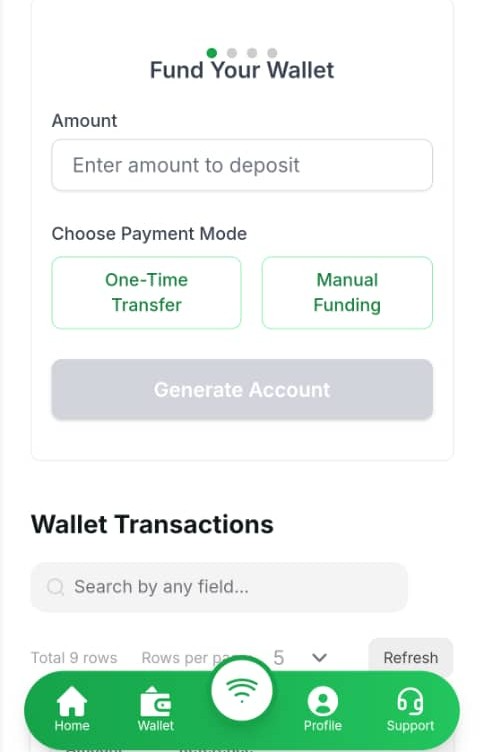
Before you can make any transactions on SamicSub, you’ll need to add funds to your wallet.
1. Log in to Your Account #
- Visit samicsub.com/user/login
- Enter your registered email and password.
2. Go to the Fund Account Page #
From your dashboard, click “Fund Account” or “Wallet Funding“.
3. Choose a Funding Method #
You can fund your wallet using:
- Virtual Account – Transfer money to the unique virtual account number assigned to your profile (Note: You must verify your account before you can access your virtual account details).
- Bank Transfer – Send funds to the official bank account details provided on the platform.
4. Confirm Your Deposit #
- After making your payment, your wallet will be credited within minutes.
- Check your wallet balance on your dashboard to ensure the funds are available.


Hello, testing replies
I agree
Reply to this specific reply